Packaging
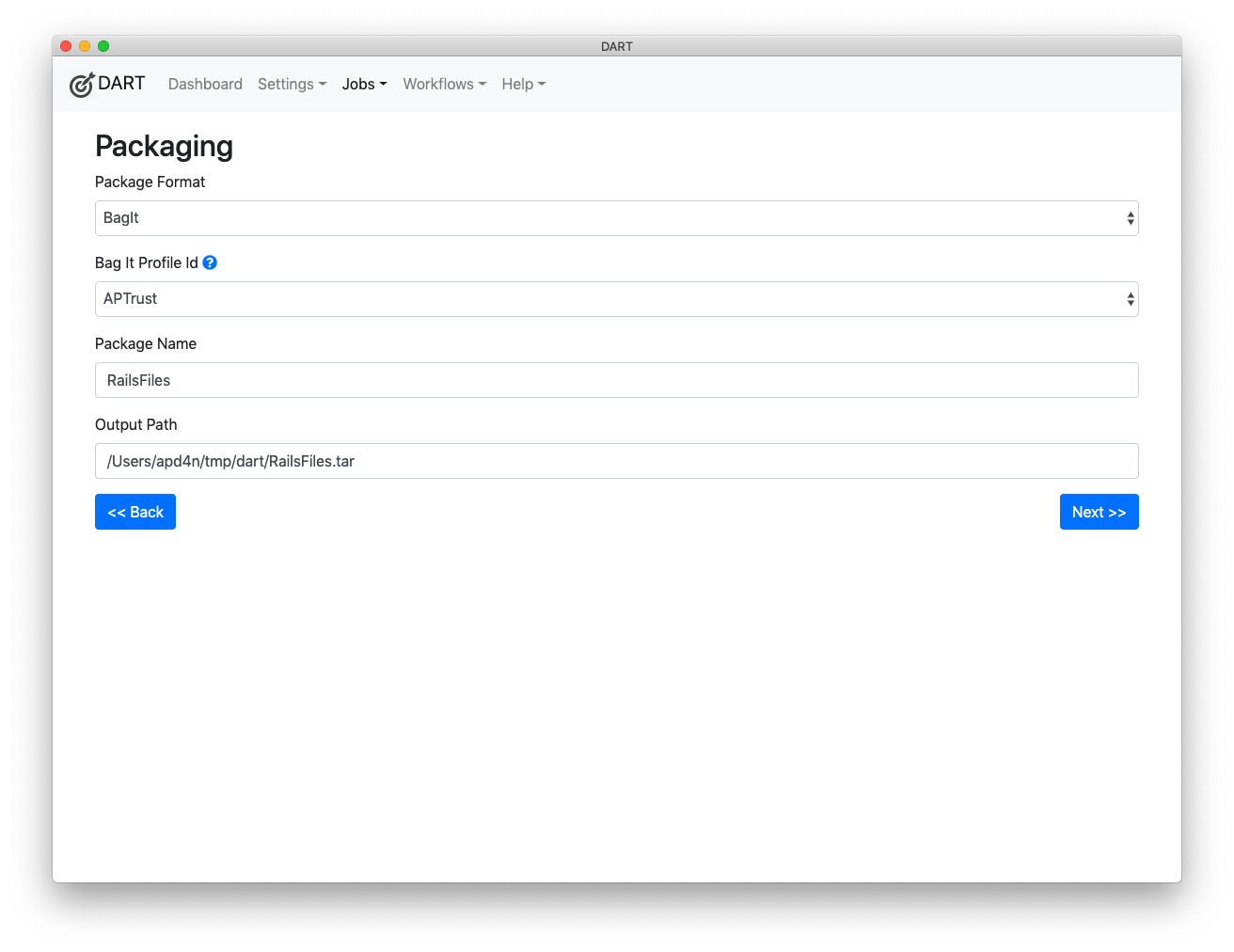
The packaging screen incudes the following options:
-
Package Format - Choose how you want your files to be packaged. The following options are available:
-
BagIt - Choose this if you want to bag your files in BagIt format.
-
Tar - Choose this if you want to pack your files into a single tar file.
-
-
BagIt Profile - This option appears when you choose BagIt as the package format. Note that you can have structurally identical BagIt profiles with different sets of default values. See Creating BagIt Profiles for more information.
-
Serialization - Choose whether you want the bag to be serialized to tar format. We expect to support additional options in the future, including zip, gzip and others.
-
Package Name - Type the name of the package you want to create. DART will create a package with this file name. Note that some repositories have required naming conventions, and most discourage the use of non-printable characters in package names.
Warning
To prevent potential confusion as to why you may have two bags with the same name and entirely different contents, DART 3 will not allow you to create two jobs with the same name. If you have an existing job called my_archive, and you try to create a new bag called my_archive, DART will ask you to either 1) rename the new package, 2) add the files you want to package to the existing my_archive job, or 3) delete the old my_archive job so you can create a new one.
This behavior differs from DART 2, which did allow duplicate job names. To prevent confusion, DART 3's internal database enforces a general prohibition against duplicate names for any items of the same type. (For example, you cannot have two different storage services with the same name pointing to different locations.)
- Output Path - This is where DART will put the local copy of the package that it builds. Notice that this field is filled in automatically as you type the package name. Unless you have good reason, you should not manually edit this field.
Note: When packaging bags as tar files, make sure that the path in the Output Path field ends with .tar. Gzipped bags should end with .tar.gz or .tgz. DART should add these extensions automatically. If the .tar or .tar.gz/.tgz file extension is removed, and a directory matching the name of Output Path happens to exist on your computer, DART will flag the bag as invalid in the job's validation stage. The error message will say that DART was expecting the bag to be a tar file but it found a directory instead.